





Editing one short video used to cost me 30 minutes. A long-form video took an hour or more. I had made peace with that, because video takes time and everybody knows it.
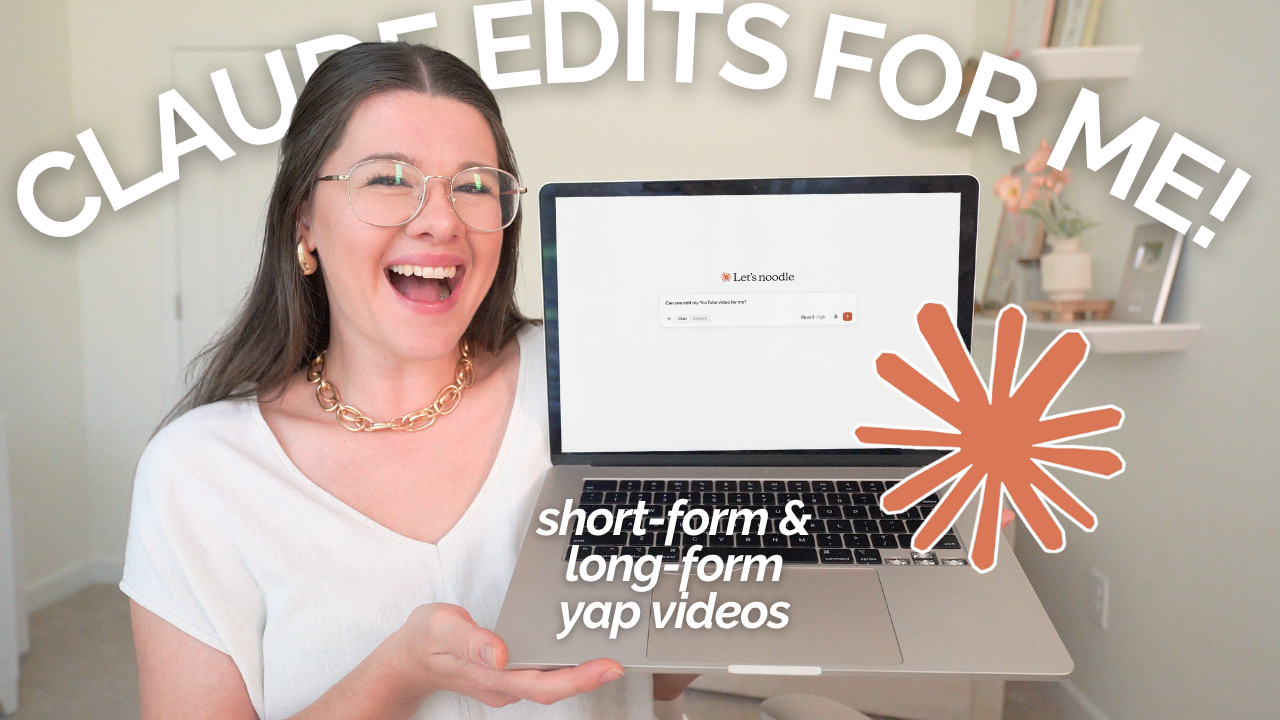
Then Claude started doing the first pass for me, and the math changed.
I want to show you the setup, because it is simpler than it sounds and it does not require you to be an AI person. I am not one. I use AI to run a six-figure business, and I stay firmly out of the weeds.
LINKS MENTIONED:
▸ Free YouTube Class (a peek at my YouTube workflow, plus how to get my trained Claude skills)
▸ Try Descript for free (the editor I use for everything)
▸ YouTube Video: 10 Habits & Routines I Have as a 6-Figure Entrepreneur & Mom
How do you connect Claude to Descript?
You connect Claude to Descript through an MCP connector, which Descript released a couple of months ago. Inside Claude, open your connectors, search Descript, and log into your Descript account. Once it is on, Claude can create projects, edit your timeline, and pull transcripts on your behalf.
That is the whole technical setup. Two accounts and one toggle.
A few things worth knowing before you try it:
– It works in Claude on the web and in Claude Desktop. Both are fine.
– It works on your computer only. Descript has no mobile app, so there is nothing to connect on your phone.
– You can also connect Google Drive and let Claude pull footage out of a folder and upload it to Descript for you. I tested it, but stopped doing it. It burns credits, and dragging a file into Descript myself takes two seconds.
So my actual process is simple: new project in Descript, drop the video in, switch to Claude, and prompt it to edit that video for you.
What does Claude actually do to your video?
Claude handles the mechanical layer of the edit. In my videos it adds jump cuts, drops in main-point titles, applies my color adjustments, generates captions in my style, and strips out filler words, word gaps, and the parts where I restarted a sentence or rambled. When it finishes, I usually have a handful of small tweaks left.
None of that is the glamorous part of editing. It is the part that takes the hour.
A jump cut, if that term is new to you, is the zoom in and out you see in a talking-head video. It hides the cut and keeps your eye moving. Doing them by hand means finding every topic change and trimming around it. Claude finds them.
What it does not do is invent a style for you. My edits are minimal on purpose. No pop-ups firing every four seconds, no graphics flying in. I want somebody to sit down and listen to what I said, and see me while I say it. Good jump cuts and a few main points on screen, and that is it. Claude does that because I told it to do that.
What does it cost to edit videos with Claude and Descript?
Two paid plans: a paid Claude plan and a paid Descript plan. Claude Pro runs $20 a month billed monthly, or $17 a month if you pay for the year. On the Descript side, the Hobbyist tier is $16 a month billed annually or $24 month to month, and the Creator tier at $24 annually is where the full AI feature set opens up. I pay for the $50 a month plan, and in a heavy month I top up credits for about $80 more.
Here is how that breaks down in practice:
- Claude Pro:
- Cost: $20/mo monthly, $17/mo annual
- What it gets you: The prompting side. Usage has been minimal for me.
- Descript Hobbyist:
- Cost: $16/mo annual, $24/mo monthly
- What it gets you: Enough credits for roughly seven or eight short videos
- Descript Business:
- Cost: $50/mo annual
- What it gets you: Around 25 short videos, or my entire month of YouTube
Two honest notes on credits.
First, how far your credits stretch depends entirely on how much editing you ask for. Captions plus jump cuts plus color on a 45-second video is cheap. The same treatment on an 18-minute video is not.
Second, I have a second computer running a $20 Claude Pro plan that I have hammered with testing, and I hit the usage limit exactly once. It reset in 90 minutes. The Claude side of this has not been the bottleneck. Descript credits are the meter you actually watch.
One more thing: I am writing this in the fall of 2026. Pricing on both tools moves, and the credit efficiency is getting better, not worse. Check the current numbers before you commit.
Do you have to train Claude to edit like you?
Yes, and this is the part people skip. Claude does not know your editing style until you teach it. The fastest starting point is to point it at a video you already edited yourself and ask it to match what you did: your cut density, your caption look, your color treatment, your tolerance for filler words. Then you correct it, over and over, until it stops guessing.
I spent about five weeks on this, a few hours a week.
What I ended up with is a set of Skills, which are essentially trained assistants that live in Claude and hold all the instructions and reference files for one specific job. I have one for B-roll, one for my short vertical videos, one for long-form. I built one first and only added more once that first one was reliable.
That is the tradeoff, and I will not sugarcoat it. The setup is real work up front. What you get back is every edit after that.
If you would rather not spend the five weeks, I show you how to get my trained skills inside my free YouTube class, along with a look at the rest of my YouTube workflow.
How much control do you keep over the final edit?
You keep all of it. Claude edits inside your Descript project, so you open the timeline afterward and change anything: where a jump cut landed, the color grade, the caption size and positioning, the hook at the top. Nothing is baked in, and nothing is exported until you export it.
This is the reason I use this setup instead of a one-click tool. With something like Opus Clip, you get an output. You do not get to go move one caption two pixels up because it is sitting on your chin.
My own tweaking pass is small and predictable. I set my captions to hug lines because I like the look, nudge them up, and fix anything that broke across a scene change. Then I export locally and the file saves to my computer.
You still export it yourself, by the way. Claude does not render or upload anything.
What can Claude do after the video is edited?
Because Descript is transcript-based, Claude can pull the finished transcript and turn it into everything downstream. Mine writes the blog post, pulls a list of every link I mentioned on camera, and generates short-form ideas out of the same video. My team member copies and pastes instead of hunting for links.
That post-edit skill took longer to build than the editing ones, and it saves more time than they do.
Think about your own workflow here rather than copying mine. What are the small jobs you do after every video? Writing the description. Finding the links. Pulling clips. Writing the email that points people to it. Those are the ones worth building, because you do them every single time.
Is this worth it if you are not technical?
If you can connect an app and write a clear instruction, you can run this. There is no code, no plugin, no API key. The skill it takes is knowing what you want your videos to look like well enough to describe it, and most people making content already know that. They have just never had to write it down.
The honest version: the first week feels clunky. You will correct it a lot. Then one day it hands you an edit you barely touch, and you stop thinking about editing as a task that eats your afternoon.
Where to start
Pick one video type. Not all of them. Connect Descript to Claude, drop in a video you already edited by hand, and ask Claude to match that edit. Correct what it gets wrong. Do that a handful of times on the same type of video before you build anything else.
That is how I got here, and it is the only part that takes patience.
If you want to see how this editing workflow sits inside the bigger system, one filming day a month turning into content that brings in leads for months, my free YouTube class is where I walk through it. And if you are working on the time side of your business more broadly, I broke down the habits and routines I actually keep as a business owner and mom.
Got a question about how any of this works, or something specific you want me to demo? Leave a comment! I love to answer them.